Adding POP to Your Pocket Pages with Michele
I’ve decided to go all in on pocket pages! There’s just something about those clean, straight lines that makes my brain happy when I sit down to create a page. I love having a simple formula in my head that takes the guesswork out of getting started.
When I sit down to create, I ask myself two questions:
How many photos do I have?
Am I working with a mix of photo orientations?
Let's start with the number of photos.
If I have six photos or fewer, I’m creating a one-page layout. If I have seven or more, I have a decision to make. I can either add a few more photos and stretch it into a two-page layout, or I can eliminate a photo and keep it to one page.
For a one-page layout, I like to leave at least two pockets open for cards, but three is my sweet spot. That gives me room for a title card, a decorative card, and a journaling card. Same applies for when I decide on a two page layout. I want enough for the title card, at least one decorative card, and then a journaling card. I prefer a few decorative cards, but the number of photos dictates that.
Next up, photo orientation.
If I’m working with typical photos, I almost always reach for what has become my favorite: Design A, with four horizontal pockets and four vertical pockets. Of course, if I have a special photo that deserves a little more space, I’m happy to switch things up.
Most of the time, these two questions help me avoid being stuck. One page or two? Done. Design A? Usually! And just like that, I’m ready to create.
But here's where I sometimes struggle with digital pocket pages.
As much as I love the clean look and simplicity, sometimes the pages feel a little too flat for me.
I was a traditional scrapbooker for almost 20 years, and one of the things I loved most was the texture and dimension. I loved layering papers, adding embellishments, and giving my pages a little extra something.
So I started thinking, why not combine the two?
I’m bringing a little of my love for layering into my digital pocket pages, and I think I’ve found my new favorite way to scrapbook.
There are so many apps you can use to create digital pocket pages so picking your favorite is a personal preference.
I started this page using my usual formula.
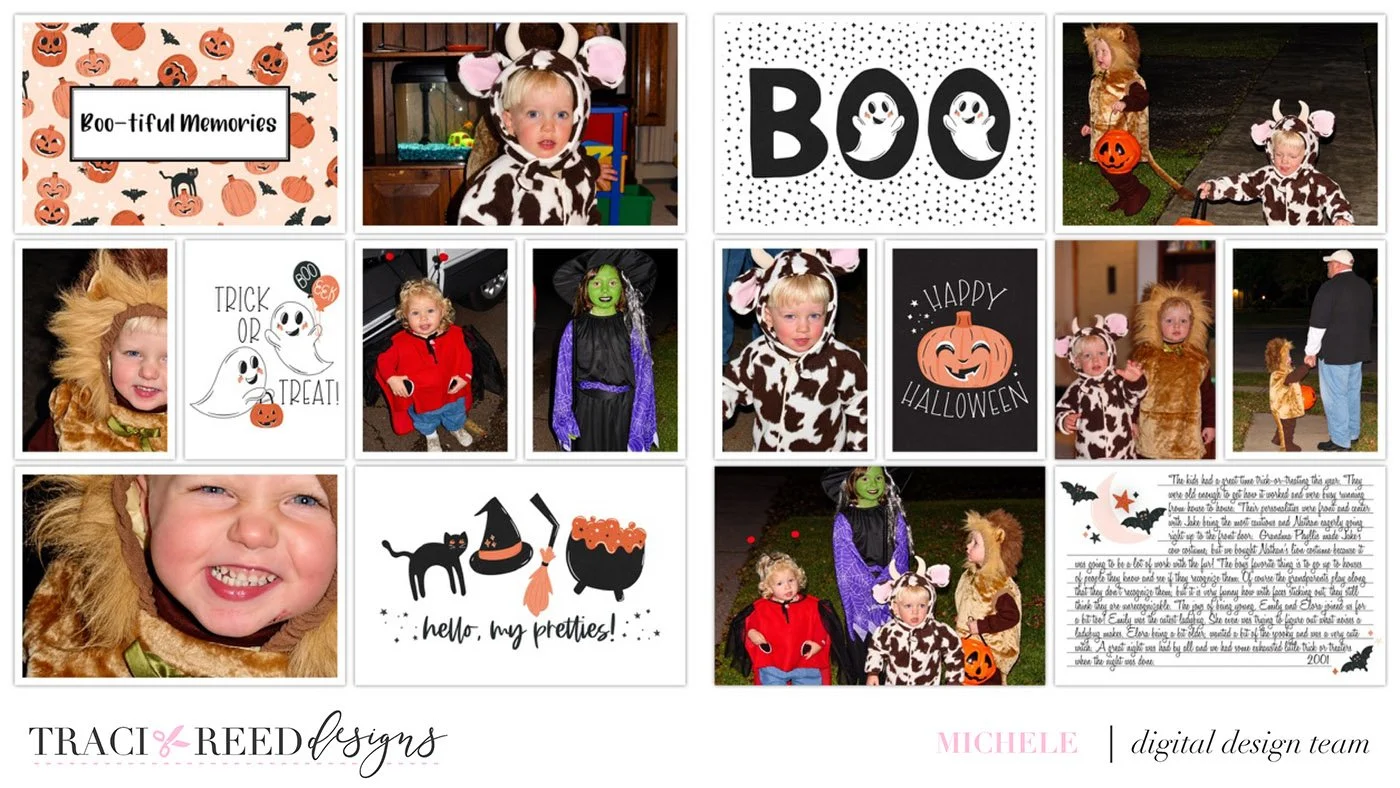
And really, the page was perfectly fine just the way it was. I could have called it done and moved on to the next one.
But I wanted a little more dimension and visual interest, so I opened it in an app that allows layering and pulled in a few embellishments from the kit.
I started with the two little ghosts on the card. Since the kit included matching ghost embellishments, I was able to place them directly on top of the ghosts already on the card. Then I added a subtle drop shadow.
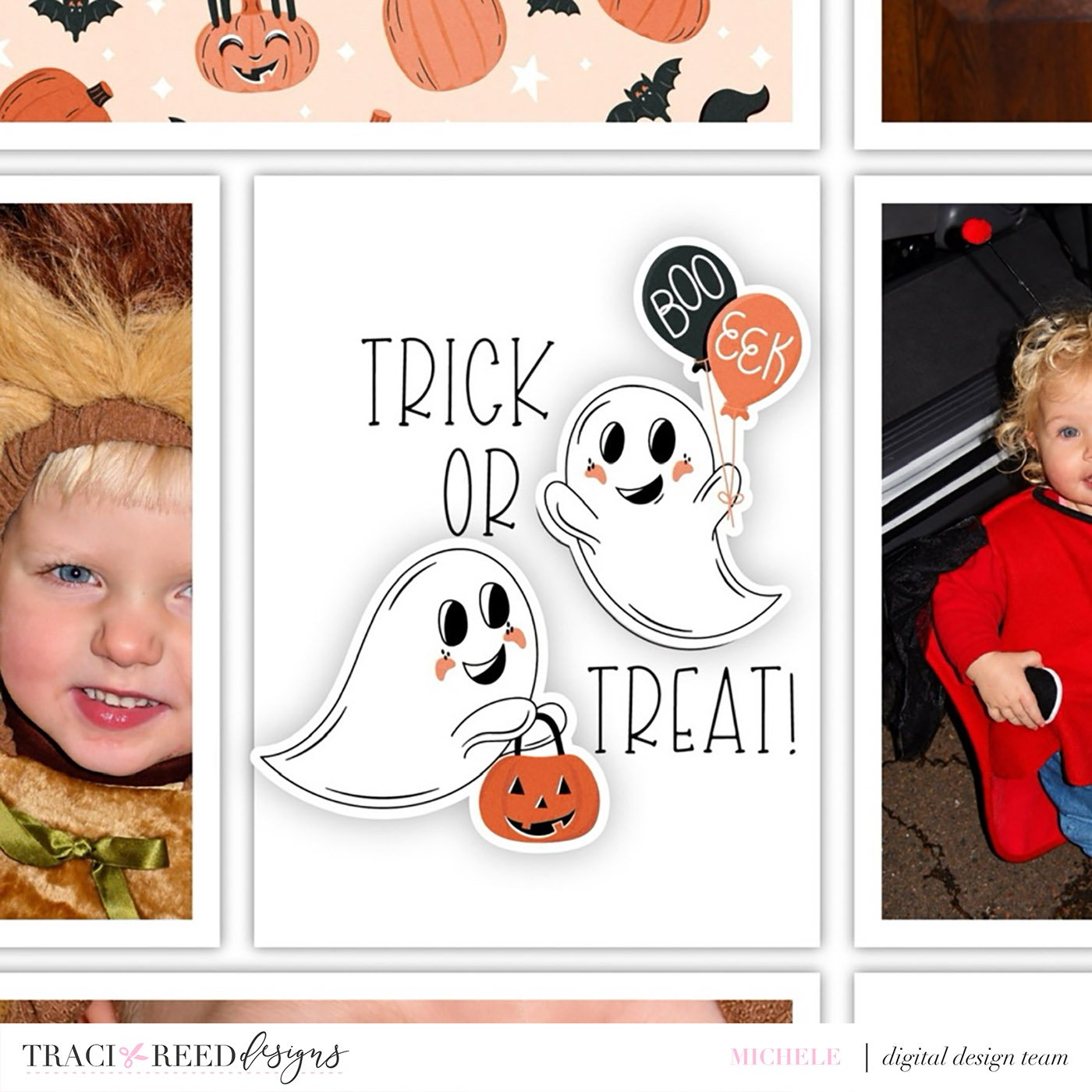
Such a simple little change but look at the difference!
Once I saw how much I liked that extra dimension, I kept going. I repeated the same process with a few other embellishments and stickers, including the bats, witch's hat, stars and cauldron.
Nothing complicated. Just a little layering and a few drop shadows.
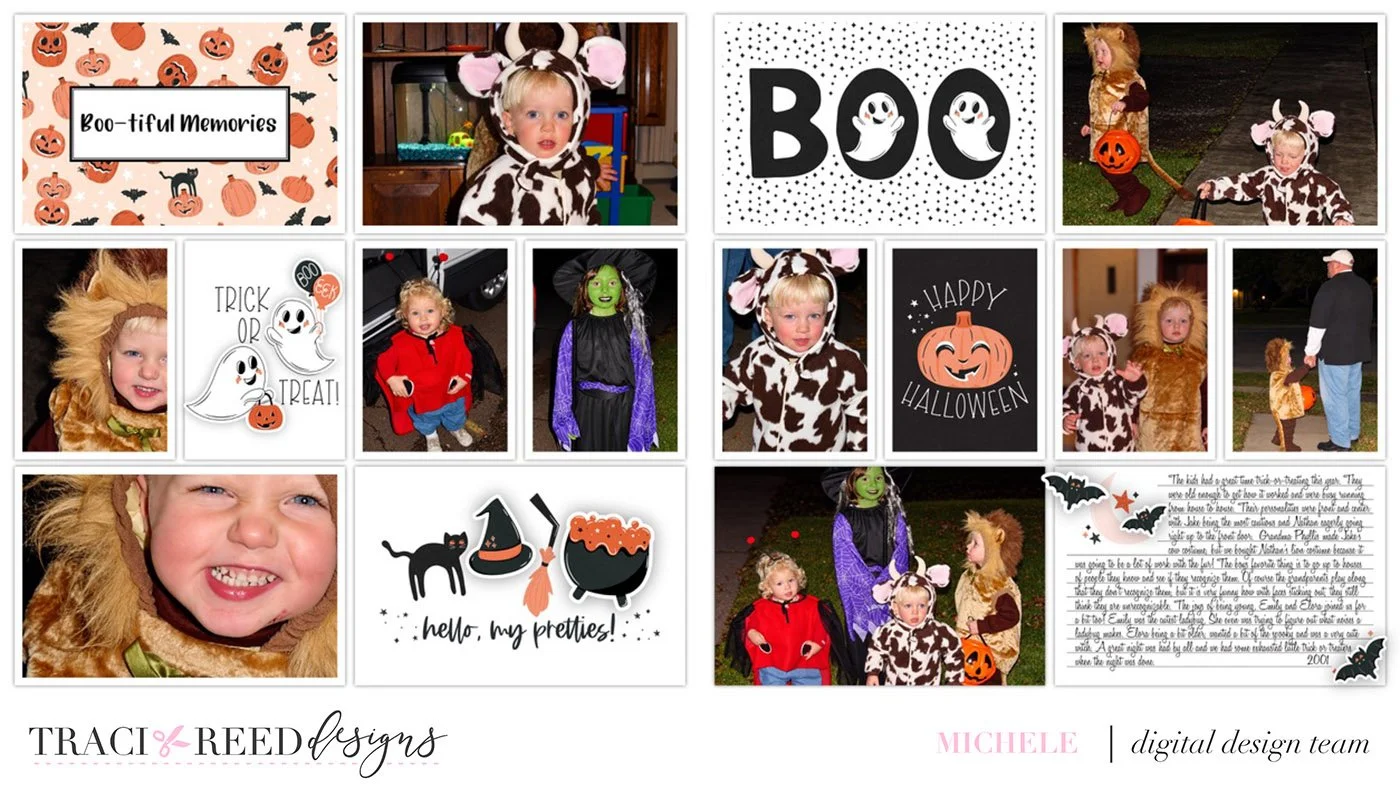
And I love how much it adds to the page! It gives everything a little more interest and brings back some of the parts of traditional scrapbooking I always enjoyed.
Once you start adding a little dimension, you might find yourself wanting to keep going! Pull in a few more embellishments, layer some stickers, or add a little something extra wherever it feels right. Here I added a few last items, including the frames, and love how it turned out. Pocket style with a bit extra.
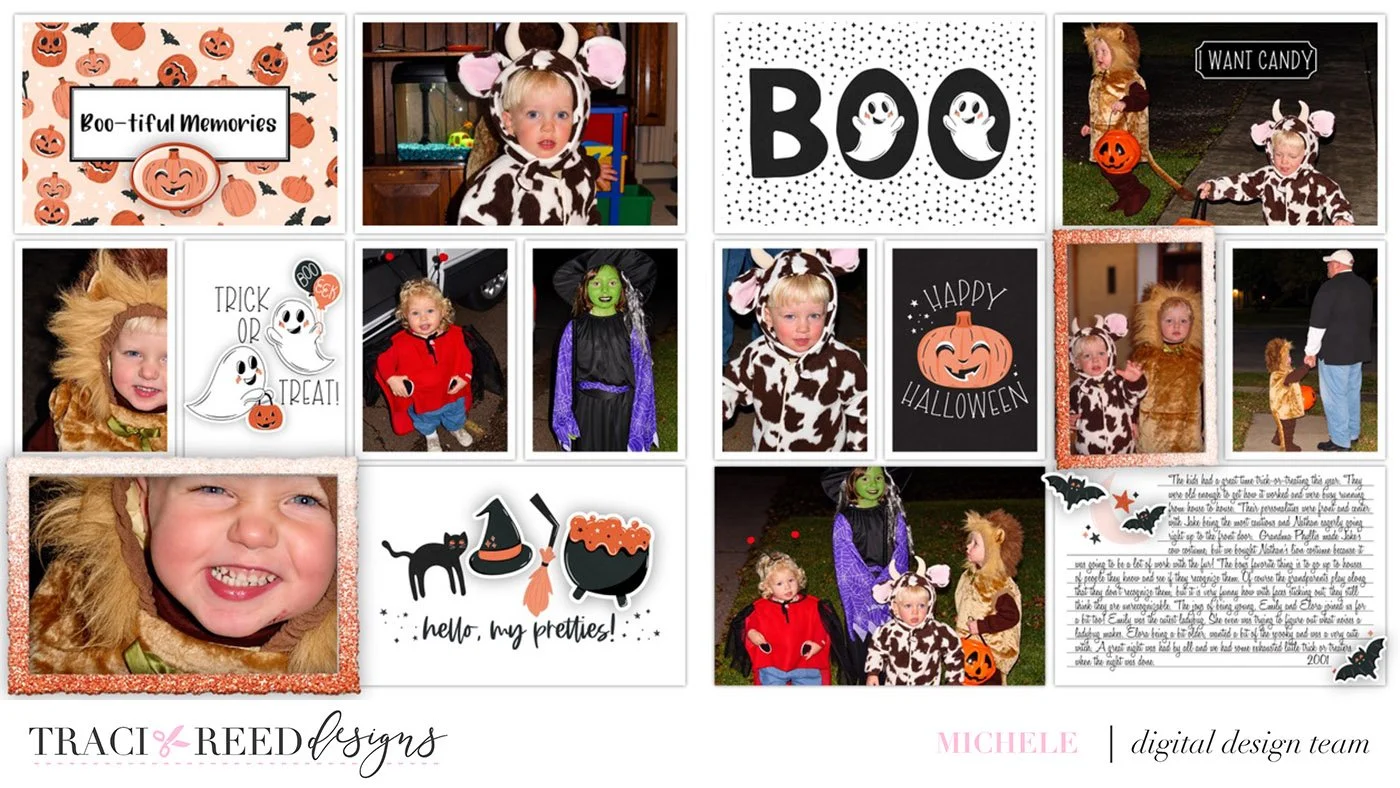
Pocket pages do not have to be flat or simple.
You can absolutely have the clean lines and easy formula of pocket pages while still enjoying all the fun little embellishments.
For me, it really is the best of both worlds. I get the simplicity I love about pocket pages and just enough layering to make my traditional scrapbooker heart happy.
Jack & Skelly Collection
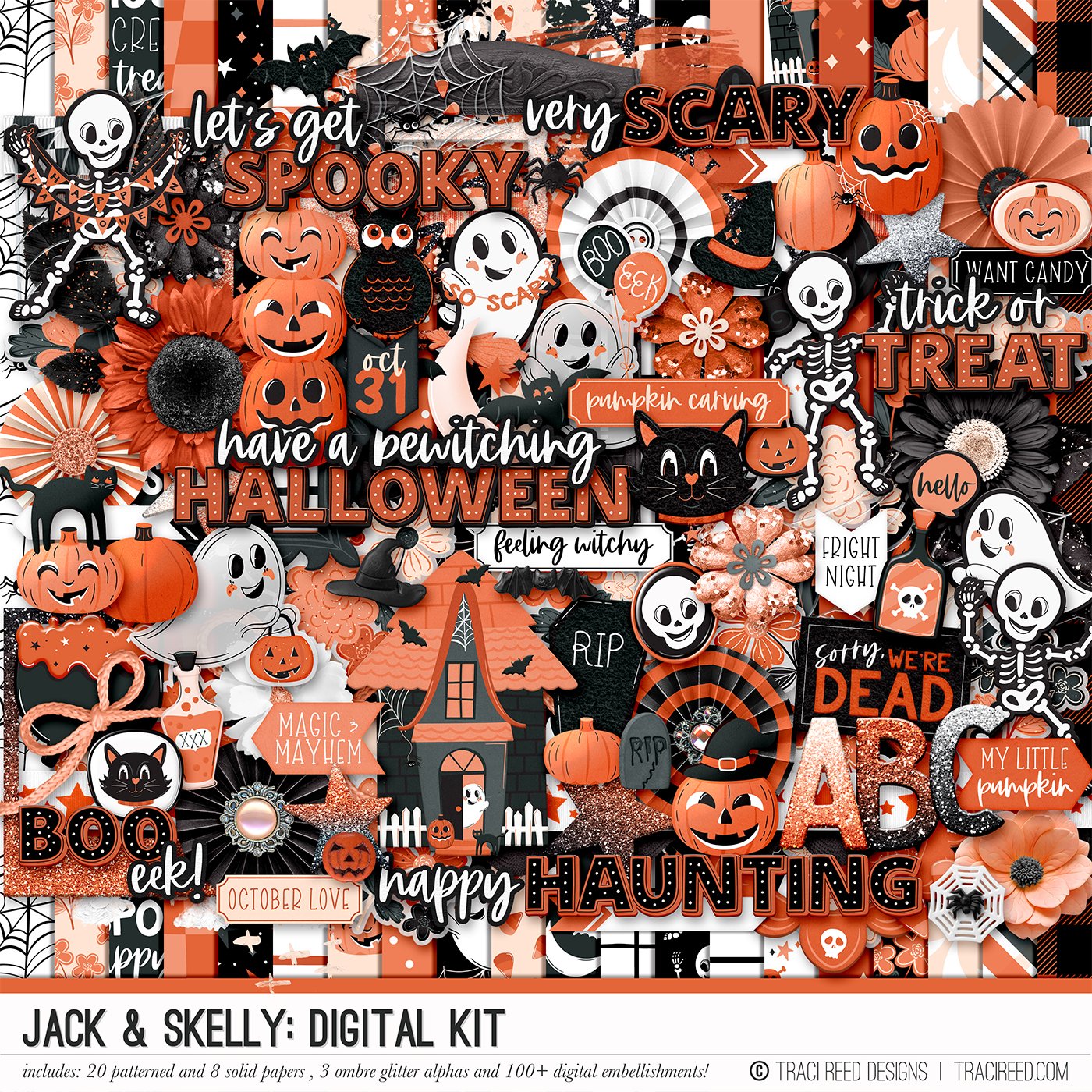
Introducing the Jack & Skelly collection, a Halloween-inspired digital and printable scrapbook collection that perfectly captures the spooky sweetness of the season! Designed in the classic orange and black color palette, this collection is brimming with charm and whimsy. Whether you're documenting costume parties, trick-or-treating adventures, or cozy nights carving pumpkins, Jack & Skelly adds a playful and not-too spooky touch to your layouts.
Jack & Skelly features hand-drawn illustrations of all your favorite Halloween icons. From friendly skeletons and smiling ghosts to mischievous jack-o-lanterns and eerie haunted houses, these characters are ready to bring your Halloween memories to life. You'll also find whimsical spiderwebs, mysterious black cats, wise owls, fluttering bats, and a sprinkle of witchy magic to top it all off!
Each piece in the Jack & Skelly collection has been thoughtfully crafted to bring a magical, vintage feel to your scrapbook projects. These illustrations strike the perfect balance between spooky and sweet, making them ideal for both fun and nostalgic moments. Whether you're crafting for a kid's Halloween party or celebrating grown-up ghoulish gatherings, this collection has something for everyone.
Designed with versatility in mind, Jack & Skelly is perfect for digital or printed layouts, mini albums, cards, and more. Whether you're capturing the enchantment of Halloween night or simply love to get into the seasonal spirit, this collection is your go-to for all things Halloween magic!
See all the Jack & Skelly products, unboxing and example layouts on the Jack & Sally blog post HERE.
DIGITAL KIT INCLUDES:
20 patterned and 8 textured solid 12x12 papers, 3 complete glitter ombre alphas and 100+ digital embellishments!

Introducing the Jack & Skelly collection, a Halloween-inspired digital and printable scrapbook collection that perfectly captures the spooky sweetness of the season! Designed in the classic orange and black color palette, this collection is brimming with charm and whimsy. Whether you're documenting costume parties, trick-or-treating adventures, or cozy nights carving pumpkins, Jack & Skelly adds a playful and not-too spooky touch to your layouts.
Jack & Skelly features hand-drawn illustrations of all your favorite Halloween icons. From friendly skeletons and smiling ghosts to mischievous jack-o-lanterns and eerie haunted houses, these characters are ready to bring your Halloween memories to life. You'll also find whimsical spiderwebs, mysterious black cats, wise owls, fluttering bats, and a sprinkle of witchy magic to top it all off!
Each piece in the Jack & Skelly collection has been thoughtfully crafted to bring a magical, vintage feel to your scrapbook projects. These illustrations strike the perfect balance between spooky and sweet, making them ideal for both fun and nostalgic moments. Whether you're crafting for a kid's Halloween party or celebrating grown-up ghoulish gatherings, this collection has something for everyone.
Designed with versatility in mind, Jack & Skelly is perfect for digital or printed layouts, mini albums, cards, and more. Whether you're capturing the enchantment of Halloween night or simply love to get into the seasonal spirit, this collection is your go-to for all things Halloween magic!
See all the Jack & Skelly products, unboxing and example layouts on the Jack & Sally blog post HERE.
JOURNAL CARDS INCLUDE:
(8) 3x4 and (2) 4x6 journal cards on individual .jpg and printable .pdf files!
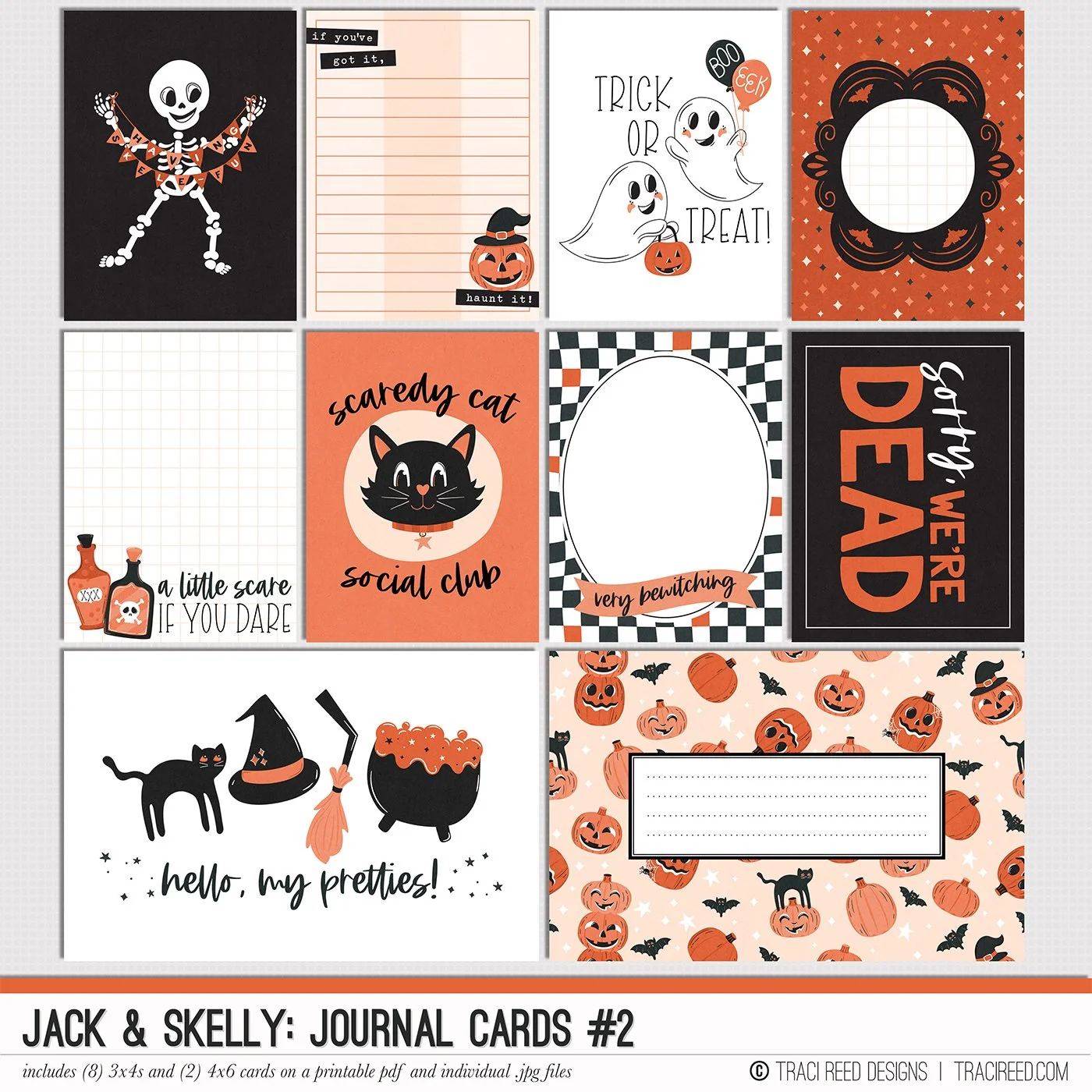
Introducing the Jack & Skelly collection, a Halloween-inspired digital and printable scrapbook collection that perfectly captures the spooky sweetness of the season! Designed in the classic orange and black color palette, this collection is brimming with charm and whimsy. Whether you're documenting costume parties, trick-or-treating adventures, or cozy nights carving pumpkins, Jack & Skelly adds a playful and not-too spooky touch to your layouts.
Jack & Skelly features hand-drawn illustrations of all your favorite Halloween icons. From friendly skeletons and smiling ghosts to mischievous jack-o-lanterns and eerie haunted houses, these characters are ready to bring your Halloween memories to life. You'll also find whimsical spiderwebs, mysterious black cats, wise owls, fluttering bats, and a sprinkle of witchy magic to top it all off!
Each piece in the Jack & Skelly collection has been thoughtfully crafted to bring a magical, vintage feel to your scrapbook projects. These illustrations strike the perfect balance between spooky and sweet, making them ideal for both fun and nostalgic moments. Whether you're crafting for a kid's Halloween party or celebrating grown-up ghoulish gatherings, this collection has something for everyone.
Designed with versatility in mind, Jack & Skelly is perfect for digital or printed layouts, mini albums, cards, and more. Whether you're capturing the enchantment of Halloween night or simply love to get into the seasonal spirit, this collection is your go-to for all things Halloween magic!
See all the Jack & Skelly products, unboxing and example layouts on the Jack & Sally blog post HERE.
JOURNAL CARDS INCLUDE:
(8) 3x4 and (2) 4x6 journal cards on individual .jpg and printable .pdf files!
Introducing the Jack & Skelly collection, a Halloween-inspired digital and printable scrapbook collection that perfectly captures the spooky sweetness of the season! Designed in the classic orange and black color palette, this collection is brimming with charm and whimsy. Whether you're documenting costume parties, trick-or-treating adventures, or cozy nights carving pumpkins, Jack & Skelly adds a playful and not-too spooky touch to your layouts.
Jack & Skelly features hand-drawn illustrations of all your favorite Halloween icons. From friendly skeletons and smiling ghosts to mischievous jack-o-lanterns and eerie haunted houses, these characters are ready to bring your Halloween memories to life. You'll also find whimsical spiderwebs, mysterious black cats, wise owls, fluttering bats, and a sprinkle of witchy magic to top it all off!
Each piece in the Jack & Skelly collection has been thoughtfully crafted to bring a magical, vintage feel to your scrapbook projects. These illustrations strike the perfect balance between spooky and sweet, making them ideal for both fun and nostalgic moments. Whether you're crafting for a kid's Halloween party or celebrating grown-up ghoulish gatherings, this collection has something for everyone.
Designed with versatility in mind, Jack & Skelly is perfect for digital or printed layouts, mini albums, cards, and more. Whether you're capturing the enchantment of Halloween night or simply love to get into the seasonal spirit, this collection is your go-to for all things Halloween magic!
See all the Jack & Skelly products, unboxing and example layouts on the Jack & Sally blog post HERE.
TN SIGNATURES INCLUDE:
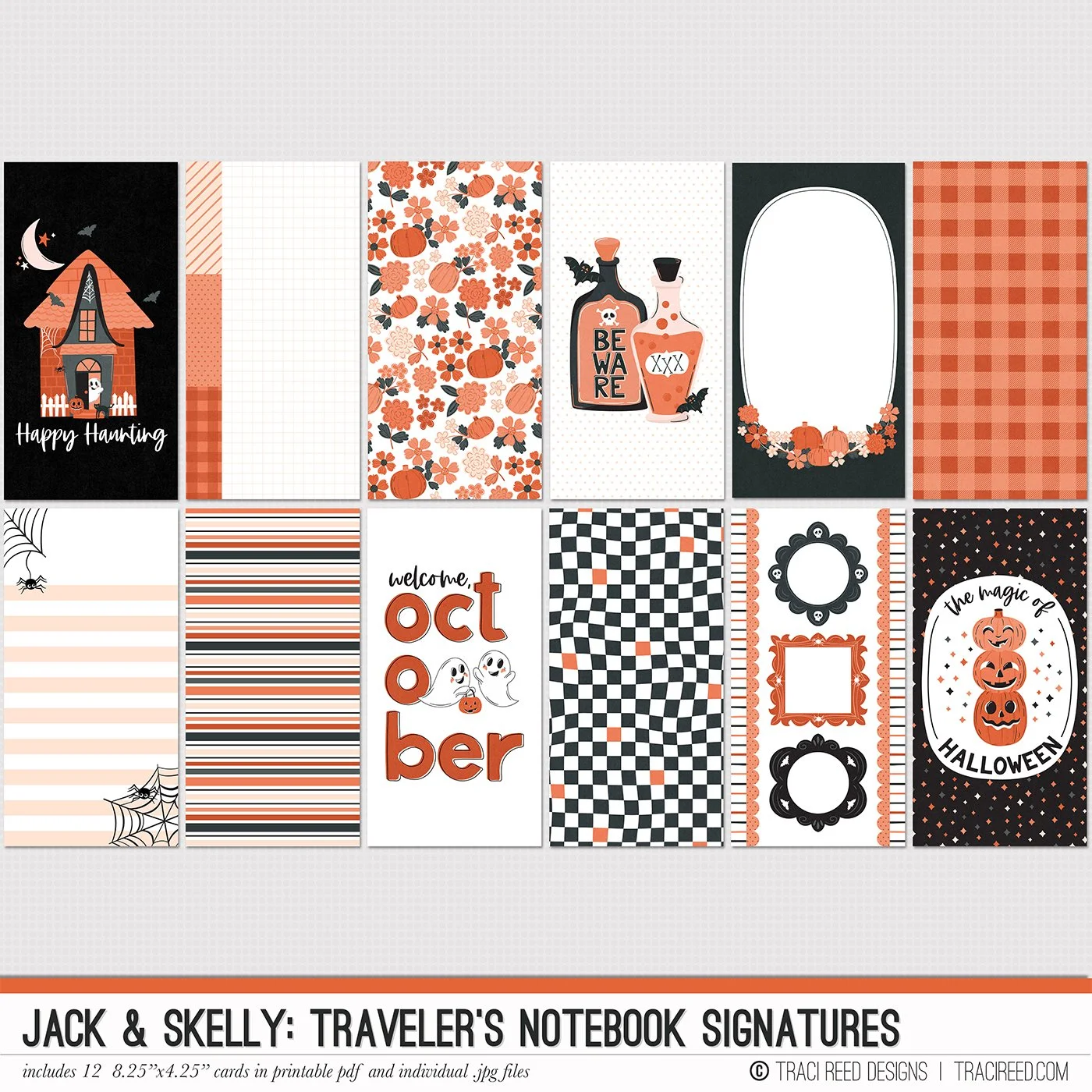
(12) TN-sized (8.25x4.25) cards on individual .jpg and printable .pdf files!
Introducing the Jack & Skelly collection, a Halloween-inspired digital and printable scrapbook collection that perfectly captures the spooky sweetness of the season! Designed in the classic orange and black color palette, this collection is brimming with charm and whimsy. Whether you're documenting costume parties, trick-or-treating adventures, or cozy nights carving pumpkins, Jack & Skelly adds a playful and not-too spooky touch to your layouts.
Jack & Skelly features hand-drawn illustrations of all your favorite Halloween icons. From friendly skeletons and smiling ghosts to mischievous jack-o-lanterns and eerie haunted houses, these characters are ready to bring your Halloween memories to life. You'll also find whimsical spiderwebs, mysterious black cats, wise owls, fluttering bats, and a sprinkle of witchy magic to top it all off!
Each piece in the Jack & Skelly collection has been thoughtfully crafted to bring a magical, vintage feel to your scrapbook projects. These illustrations strike the perfect balance between spooky and sweet, making them ideal for both fun and nostalgic moments. Whether you're crafting for a kid's Halloween party or celebrating grown-up ghoulish gatherings, this collection has something for everyone.
Designed with versatility in mind, Jack & Skelly is perfect for digital or printed layouts, mini albums, cards, and more. Whether you're capturing the enchantment of Halloween night or simply love to get into the seasonal spirit, this collection is your go-to for all things Halloween magic!
See all the Jack & Skelly products, unboxing and example layouts on the Jack & Sally blog post HERE.
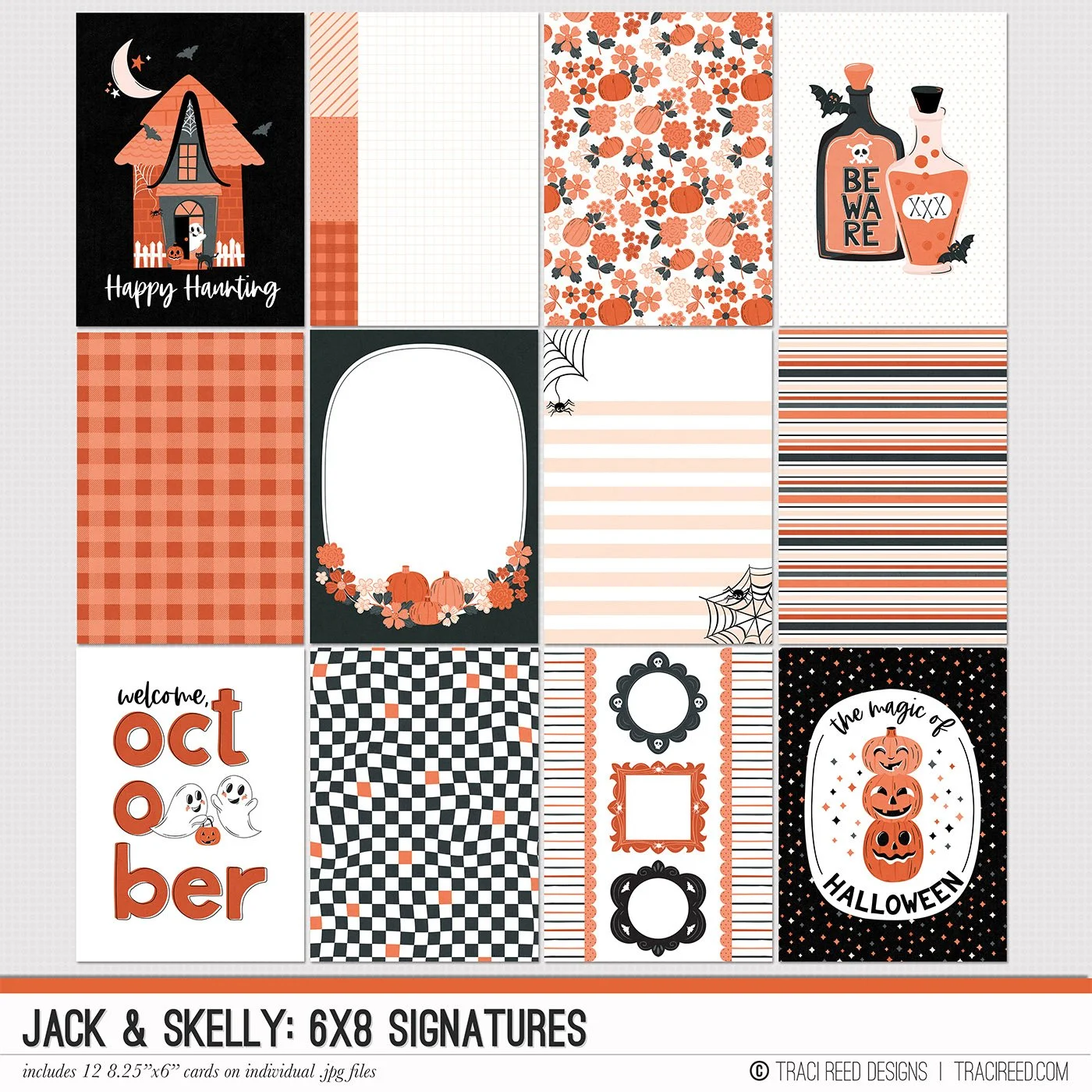
6x8 SIGNATURES INCLUDE:
(12) 6x8.25" cards on individual .jpg files!
Introducing the Jack & Skelly collection, a Halloween-inspired digital and printable scrapbook collection that perfectly captures the spooky sweetness of the season! Designed in the classic orange and black color palette, this collection is brimming with charm and whimsy. Whether you're documenting costume parties, trick-or-treating adventures, or cozy nights carving pumpkins, Jack & Skelly adds a playful and not-too spooky touch to your layouts.
Jack & Skelly features hand-drawn illustrations of all your favorite Halloween icons. From friendly skeletons and smiling ghosts to mischievous jack-o-lanterns and eerie haunted houses, these characters are ready to bring your Halloween memories to life. You'll also find whimsical spiderwebs, mysterious black cats, wise owls, fluttering bats, and a sprinkle of witchy magic to top it all off!
Each piece in the Jack & Skelly collection has been thoughtfully crafted to bring a magical, vintage feel to your scrapbook projects. These illustrations strike the perfect balance between spooky and sweet, making them ideal for both fun and nostalgic moments. Whether you're crafting for a kid's Halloween party or celebrating grown-up ghoulish gatherings, this collection has something for everyone.
Designed with versatility in mind, Jack & Skelly is perfect for digital or printed layouts, mini albums, cards, and more. Whether you're capturing the enchantment of Halloween night or simply love to get into the seasonal spirit, this collection is your go-to for all things Halloween magic!
See all the Jack & Skelly products, unboxing and example layouts on the Jack & Sally blog post HERE.
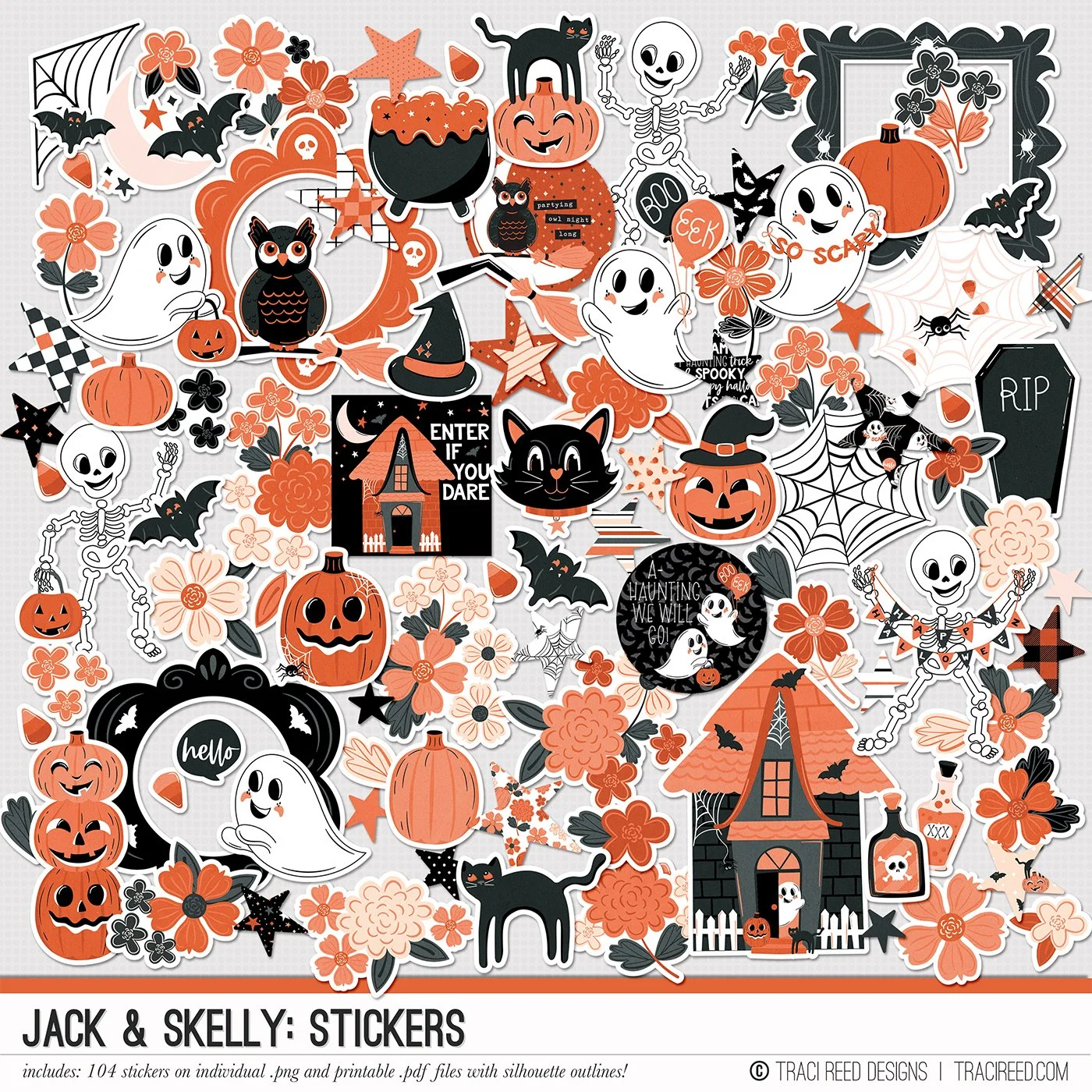
STICKERS INCLUDE:
100+ digital/printable stickers on individual .png and printable .pdf files with and without silhouette guides and fussy cutting lines!
Introducing the Jack & Skelly collection, a Halloween-inspired digital and printable scrapbook collection that perfectly captures the spooky sweetness of the season! Designed in the classic orange and black color palette, this collection is brimming with charm and whimsy. Whether you're documenting costume parties, trick-or-treating adventures, or cozy nights carving pumpkins, Jack & Skelly adds a playful and not-too spooky touch to your layouts.
Jack & Skelly features hand-drawn illustrations of all your favorite Halloween icons. From friendly skeletons and smiling ghosts to mischievous jack-o-lanterns and eerie haunted houses, these characters are ready to bring your Halloween memories to life. You'll also find whimsical spiderwebs, mysterious black cats, wise owls, fluttering bats, and a sprinkle of witchy magic to top it all off!
Each piece in the Jack & Skelly collection has been thoughtfully crafted to bring a magical, vintage feel to your scrapbook projects. These illustrations strike the perfect balance between spooky and sweet, making them ideal for both fun and nostalgic moments. Whether you're crafting for a kid's Halloween party or celebrating grown-up ghoulish gatherings, this collection has something for everyone.
Designed with versatility in mind, Jack & Skelly is perfect for digital or printed layouts, mini albums, cards, and more. Whether you're capturing the enchantment of Halloween night or simply love to get into the seasonal spirit, this collection is your go-to for all things Halloween magic!
See all the Jack & Skelly products, unboxing and example layouts on the Jack & Sally blog post HERE.
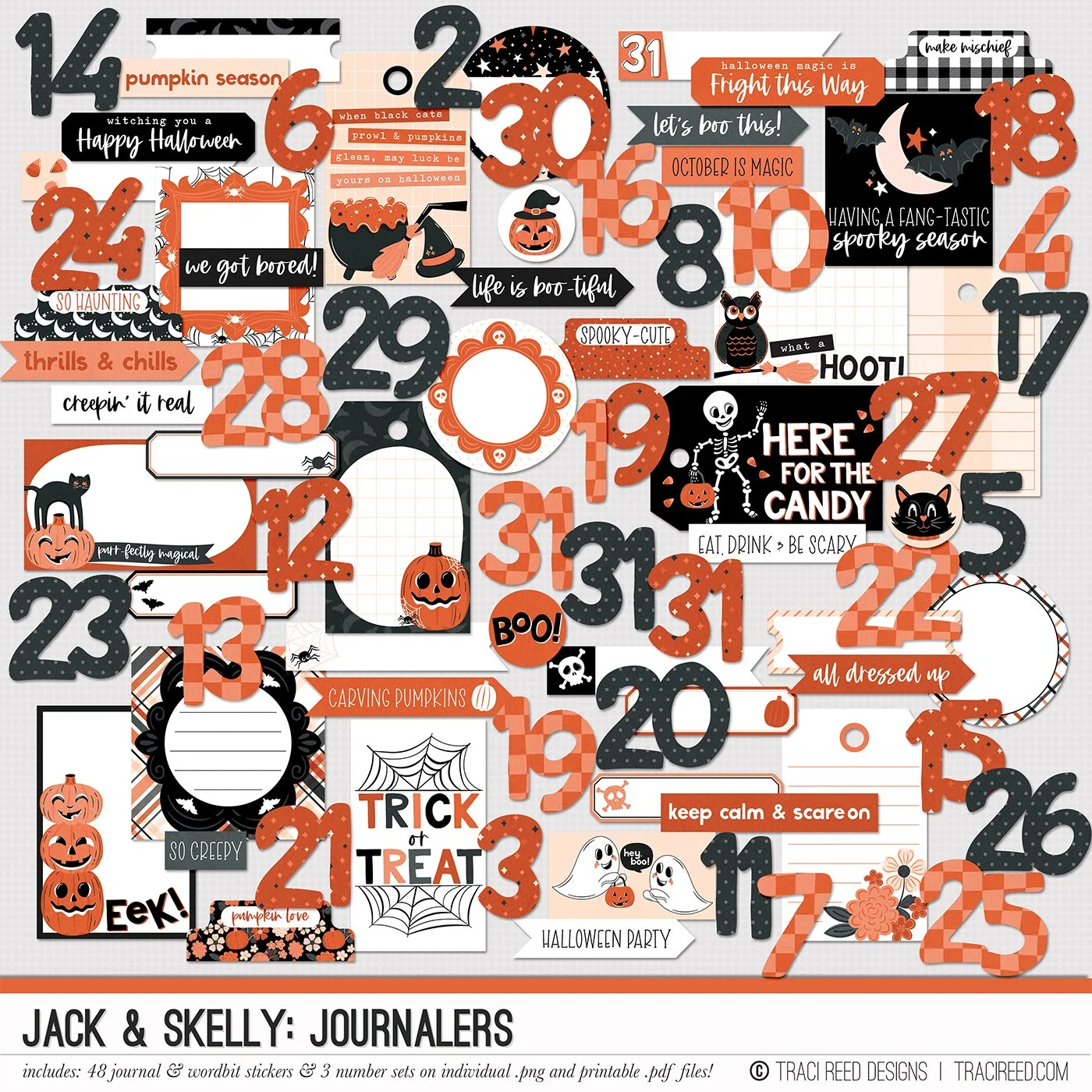
JOURNALERS INCLUDE:
48 journal and word bit as well as 3 complete number sets (1-31) digital/printable stickers on individual .png and printable .pdf files with and without silhouette guides and fussy cutting lines!
Introducing the Jack & Skelly collection, a Halloween-inspired digital and printable scrapbook collection that perfectly captures the spooky sweetness of the season! Designed in the classic orange and black color palette, this collection is brimming with charm and whimsy. Whether you're documenting costume parties, trick-or-treating adventures, or cozy nights carving pumpkins, Jack & Skelly adds a playful and not-too spooky touch to your layouts.
Jack & Skelly features hand-drawn illustrations of all your favorite Halloween icons. From friendly skeletons and smiling ghosts to mischievous jack-o-lanterns and eerie haunted houses, these characters are ready to bring your Halloween memories to life. You'll also find whimsical spiderwebs, mysterious black cats, wise owls, fluttering bats, and a sprinkle of witchy magic to top it all off!
Each piece in the Jack & Skelly collection has been thoughtfully crafted to bring a magical, vintage feel to your scrapbook projects. These illustrations strike the perfect balance between spooky and sweet, making them ideal for both fun and nostalgic moments. Whether you're crafting for a kid's Halloween party or celebrating grown-up ghoulish gatherings, this collection has something for everyone.
Designed with versatility in mind, Jack & Skelly is perfect for digital or printed layouts, mini albums, cards, and more. Whether you're capturing the enchantment of Halloween night or simply love to get into the seasonal spirit, this collection is your go-to for all things Halloween magic!
See all the Jack & Skelly products, unboxing and example layouts on the Jack & Sally blog post HERE.
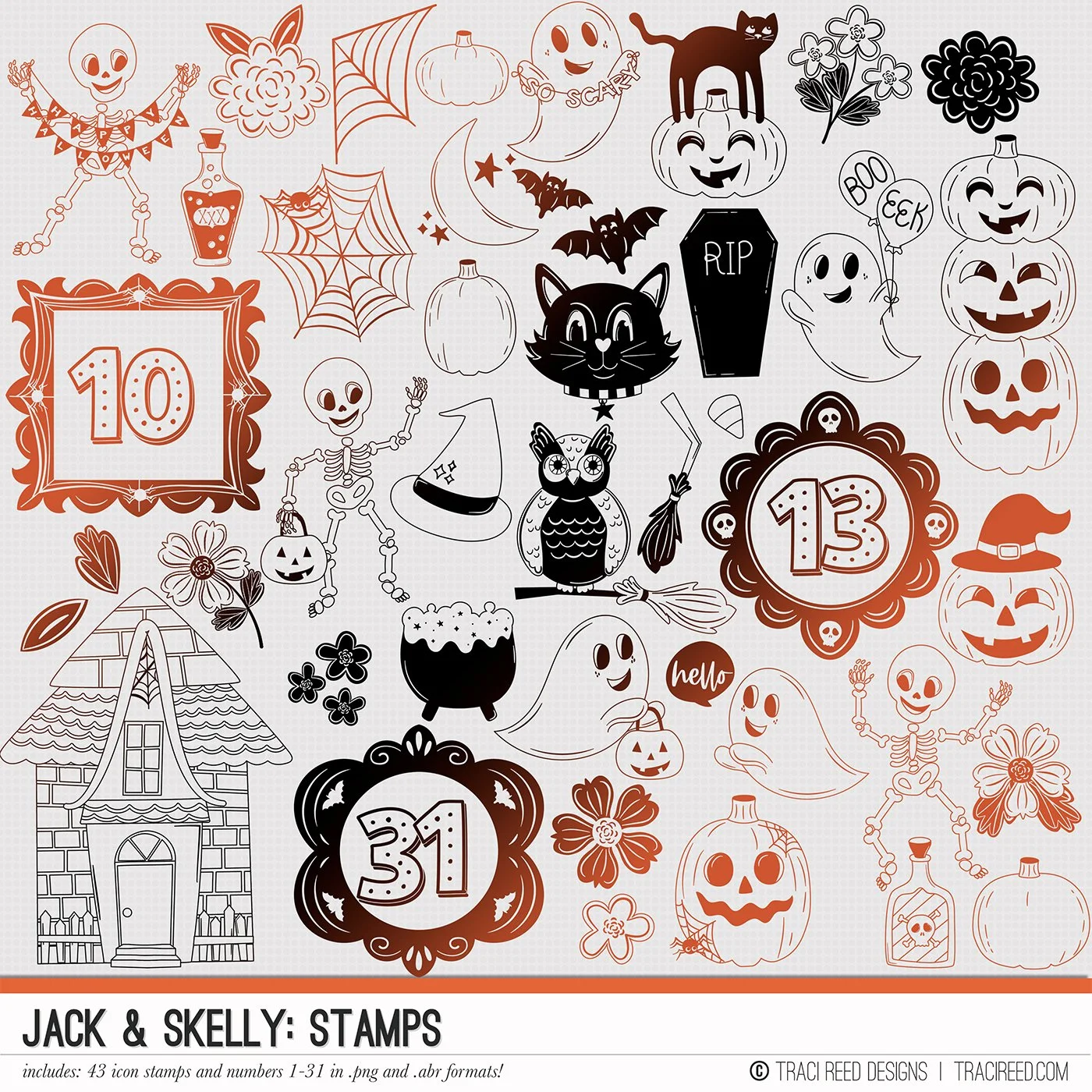
STAMPS INCLUDE:
43 icon stamps and numbers 1-31 on individual .png and .abr files

Introducing the Jack & Skelly collection, a Halloween-inspired digital and printable scrapbook collection that perfectly captures the spooky sweetness of the season! Designed in the classic orange and black color palette, this collection is brimming with charm and whimsy. Whether you're documenting costume parties, trick-or-treating adventures, or cozy nights carving pumpkins, Jack & Skelly adds a playful and not-too spooky touch to your layouts.
Jack & Skelly features hand-drawn illustrations of all your favorite Halloween icons. From friendly skeletons and smiling ghosts to mischievous jack-o-lanterns and eerie haunted houses, these characters are ready to bring your Halloween memories to life. You'll also find whimsical spiderwebs, mysterious black cats, wise owls, fluttering bats, and a sprinkle of witchy magic to top it all off!
Each piece in the Jack & Skelly collection has been thoughtfully crafted to bring a magical, vintage feel to your scrapbook projects. These illustrations strike the perfect balance between spooky and sweet, making them ideal for both fun and nostalgic moments. Whether you're crafting for a kid's Halloween party or celebrating grown-up ghoulish gatherings, this collection has something for everyone.
Designed with versatility in mind, Jack & Skelly is perfect for digital or printed layouts, mini albums, cards, and more. Whether you're capturing the enchantment of Halloween night or simply love to get into the seasonal spirit, this collection is your go-to for all things Halloween magic!
See all the Jack & Skelly products, unboxing and example layouts on the Jack & Sally blog post HERE.
MARQUEE ALPHAS INCLUDE:
4 complete alpha and number sets on individual .png files!
Introducing the Jack & Skelly collection, a Halloween-inspired digital and printable scrapbook collection that perfectly captures the spooky sweetness of the season! Designed in the classic orange and black color palette, this collection is brimming with charm and whimsy. Whether you're documenting costume parties, trick-or-treating adventures, or cozy nights carving pumpkins, Jack & Skelly adds a playful and not-too spooky touch to your layouts.
Jack & Skelly features hand-drawn illustrations of all your favorite Halloween icons. From friendly skeletons and smiling ghosts to mischievous jack-o-lanterns and eerie haunted houses, these characters are ready to bring your Halloween memories to life. You'll also find whimsical spiderwebs, mysterious black cats, wise owls, fluttering bats, and a sprinkle of witchy magic to top it all off!
Each piece in the Jack & Skelly collection has been thoughtfully crafted to bring a magical, vintage feel to your scrapbook projects. These illustrations strike the perfect balance between spooky and sweet, making them ideal for both fun and nostalgic moments. Whether you're crafting for a kid's Halloween party or celebrating grown-up ghoulish gatherings, this collection has something for everyone.
Designed with versatility in mind, Jack & Skelly is perfect for digital or printed layouts, mini albums, cards, and more. Whether you're capturing the enchantment of Halloween night or simply love to get into the seasonal spirit, this collection is your go-to for all things Halloween magic!
See all the Jack & Skelly products, unboxing and example layouts on the Jack & Sally blog post HERE.
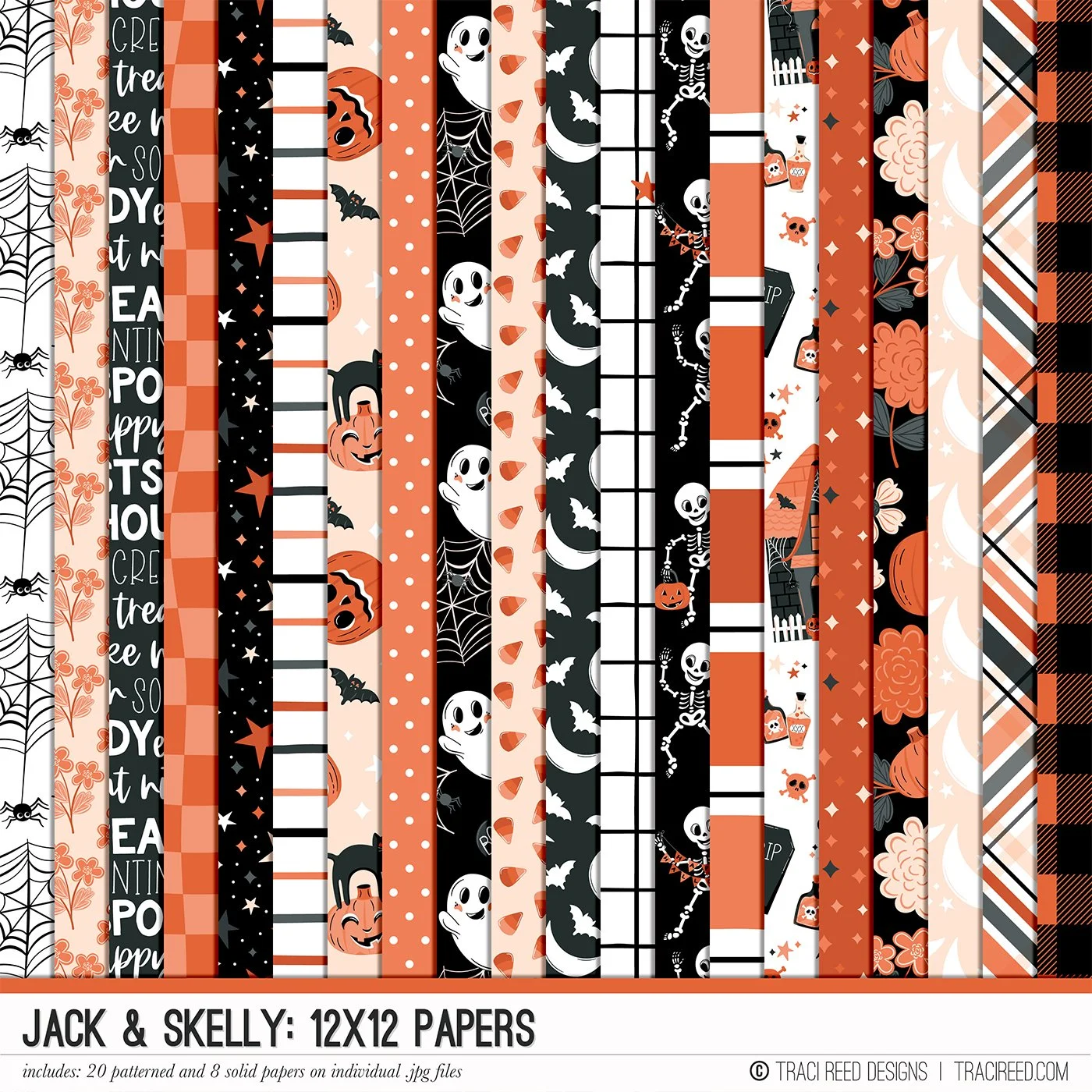
12x12 PAPERS INCLUDE:
20 patterned and 8 solid 12x12 digital scrapbooking papers on individual .jpg files!
Introducing the Jack & Skelly collection, a Halloween-inspired digital and printable scrapbook collection that perfectly captures the spooky sweetness of the season! Designed in the classic orange and black color palette, this collection is brimming with charm and whimsy. Whether you're documenting costume parties, trick-or-treating adventures, or cozy nights carving pumpkins, Jack & Skelly adds a playful and not-too spooky touch to your layouts.
Jack & Skelly features hand-drawn illustrations of all your favorite Halloween icons. From friendly skeletons and smiling ghosts to mischievous jack-o-lanterns and eerie haunted houses, these characters are ready to bring your Halloween memories to life. You'll also find whimsical spiderwebs, mysterious black cats, wise owls, fluttering bats, and a sprinkle of witchy magic to top it all off!
Each piece in the Jack & Skelly collection has been thoughtfully crafted to bring a magical, vintage feel to your scrapbook projects. These illustrations strike the perfect balance between spooky and sweet, making them ideal for both fun and nostalgic moments. Whether you're crafting for a kid's Halloween party or celebrating grown-up ghoulish gatherings, this collection has something for everyone.
Designed with versatility in mind, Jack & Skelly is perfect for digital or printed layouts, mini albums, cards, and more. Whether you're capturing the enchantment of Halloween night or simply love to get into the seasonal spirit, this collection is your go-to for all things Halloween magic!
See all the Jack & Skelly products, unboxing and example layouts on the Jack & Sally blog post HERE.
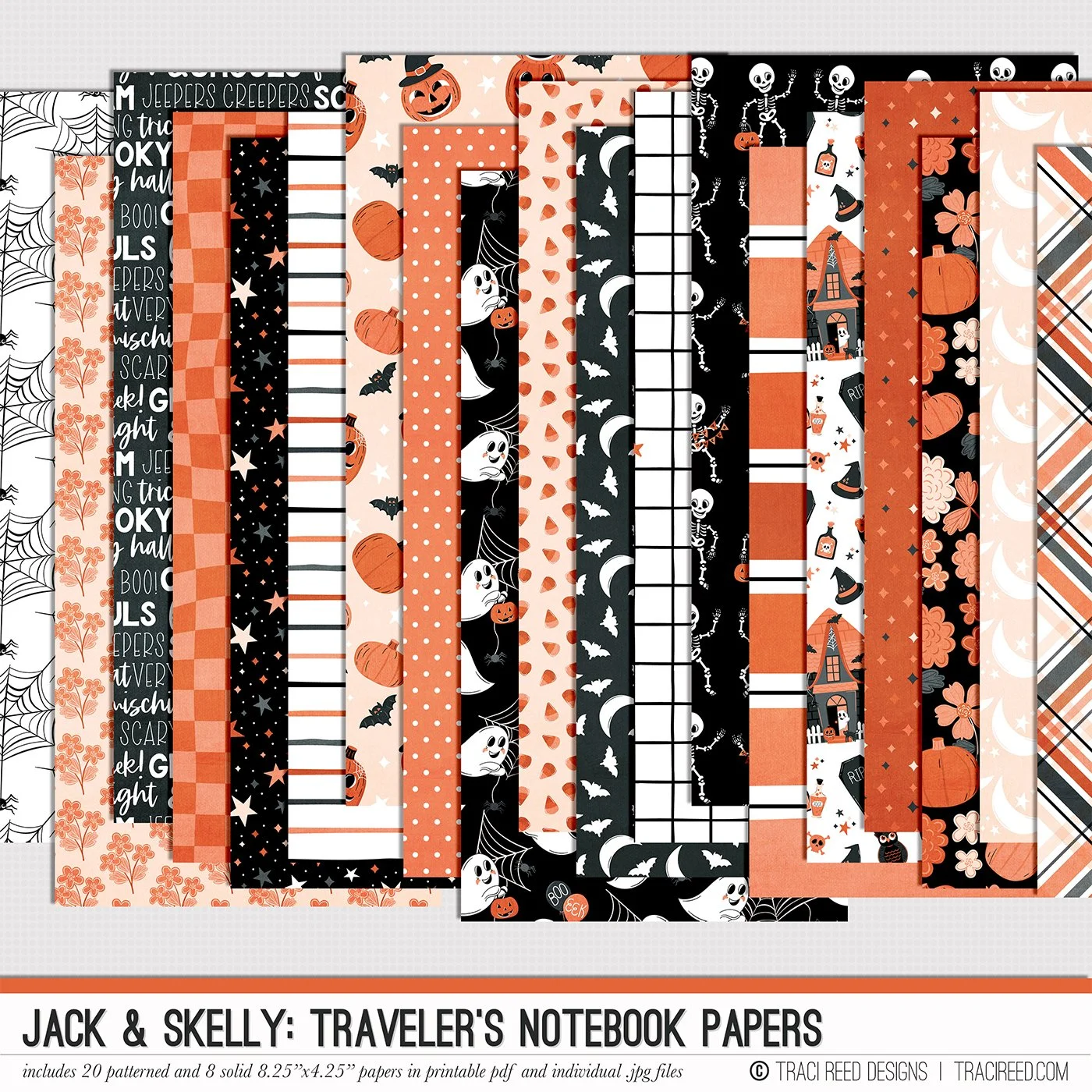
TRAVELER'S NOTEBOOK PAPERS INCLUDE:
20 patterned and 8 solid TN-sized (8.25x4.25") papers on individual .jpg and printable .pdf files!
Introducing the Jack & Skelly collection, a Halloween-inspired digital and printable scrapbook collection that perfectly captures the spooky sweetness of the season! Designed in the classic orange and black color palette, this collection is brimming with charm and whimsy. Whether you're documenting costume parties, trick-or-treating adventures, or cozy nights carving pumpkins, Jack & Skelly adds a playful and not-too spooky touch to your layouts.
Jack & Skelly features hand-drawn illustrations of all your favorite Halloween icons. From friendly skeletons and smiling ghosts to mischievous jack-o-lanterns and eerie haunted houses, these characters are ready to bring your Halloween memories to life. You'll also find whimsical spiderwebs, mysterious black cats, wise owls, fluttering bats, and a sprinkle of witchy magic to top it all off!
Each piece in the Jack & Skelly collection has been thoughtfully crafted to bring a magical, vintage feel to your scrapbook projects. These illustrations strike the perfect balance between spooky and sweet, making them ideal for both fun and nostalgic moments. Whether you're crafting for a kid's Halloween party or celebrating grown-up ghoulish gatherings, this collection has something for everyone.
Designed with versatility in mind, Jack & Skelly is perfect for digital or printed layouts, mini albums, cards, and more. Whether you're capturing the enchantment of Halloween night or simply love to get into the seasonal spirit, this collection is your go-to for all things Halloween magic!
See all the Jack & Skelly products, unboxing and example layouts on the Jack & Sally blog post HERE.
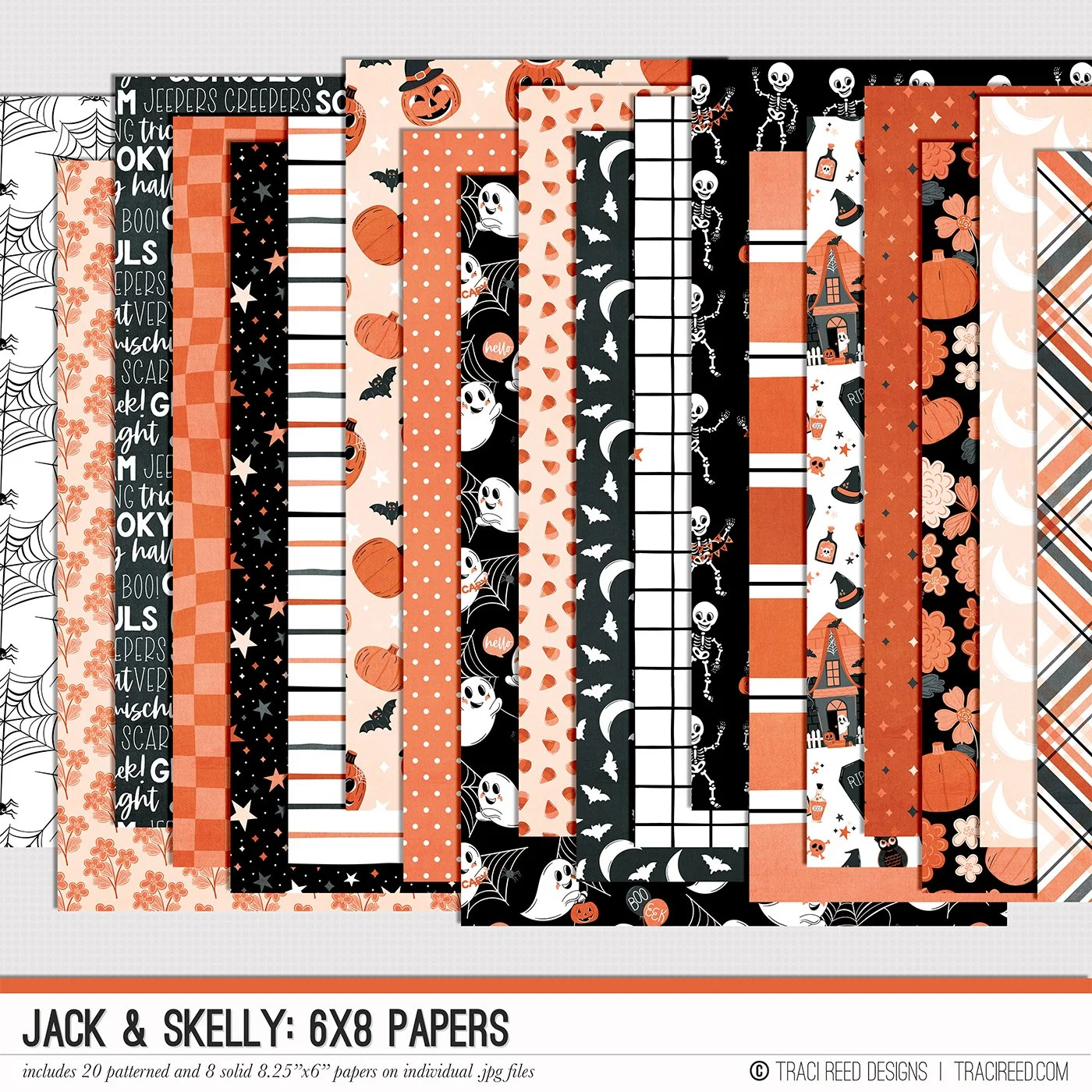
6X8 PAPERS INCLUDE:
20 patterned and 8 solid 6x8.25" papers on individual .jpg files!
Introducing the Jack & Skelly collection, a Halloween-inspired digital and printable scrapbook collection that perfectly captures the spooky sweetness of the season! Designed in the classic orange and black color palette, this collection is brimming with charm and whimsy. Whether you're documenting costume parties, trick-or-treating adventures, or cozy nights carving pumpkins, Jack & Skelly adds a playful and not-too spooky touch to your layouts.
Jack & Skelly features hand-drawn illustrations of all your favorite Halloween icons. From friendly skeletons and smiling ghosts to mischievous jack-o-lanterns and eerie haunted houses, these characters are ready to bring your Halloween memories to life. You'll also find whimsical spiderwebs, mysterious black cats, wise owls, fluttering bats, and a sprinkle of witchy magic to top it all off!
Each piece in the Jack & Skelly collection has been thoughtfully crafted to bring a magical, vintage feel to your scrapbook projects. These illustrations strike the perfect balance between spooky and sweet, making them ideal for both fun and nostalgic moments. Whether you're crafting for a kid's Halloween party or celebrating grown-up ghoulish gatherings, this collection has something for everyone.
Designed with versatility in mind, Jack & Skelly is perfect for digital or printed layouts, mini albums, cards, and more. Whether you're capturing the enchantment of Halloween night or simply love to get into the seasonal spirit, this collection is your go-to for all things Halloween magic!
See all the Jack & Skelly products, unboxing and example layouts on the Jack & Sally blog post HERE.
BUNDLE INCLUDES:
Jack & Skelly Digital Kit, Cards #1 and #2, TN Signatures and Stickers!
BUNDLE DOES NOT INCLUDE:
6×8 Papers or Signatures, TN Papers, Patterned Cards, Stamps, Marquee Alphas or Journalers!